Task Details
View and edit task details
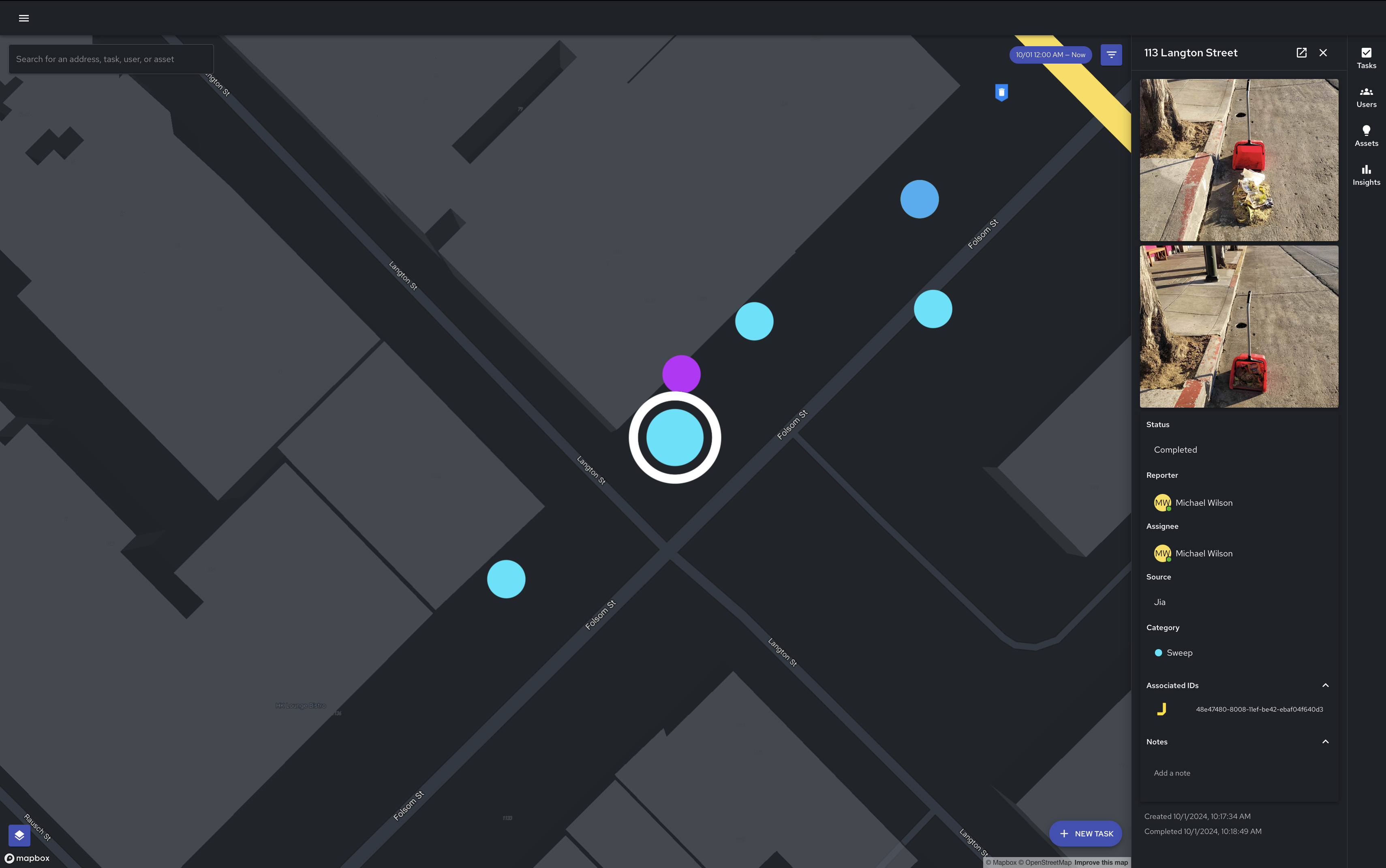
To open and view additional task details, you can click on a task anywhere within the product. This action will open a task details sidebar to the right of the page.
The task details sidebar displays the following information related to a task:
Task Address - The reported (or nearest reported) address for the task
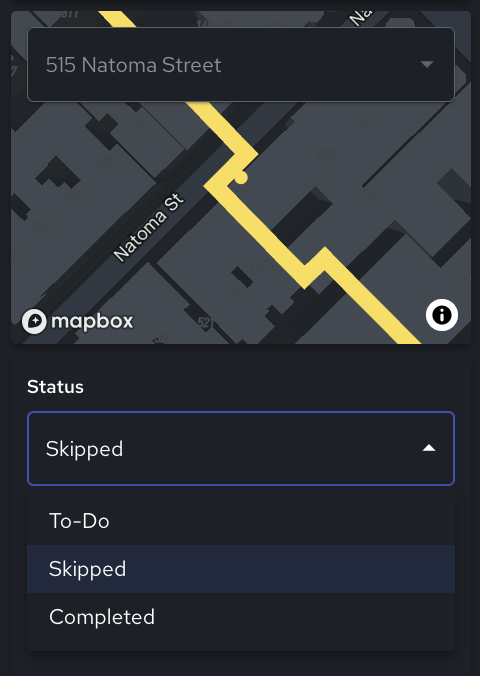
Status - The task status (To-Do, Skipped, Completed)
Images - The before/after images for the task
Reporter - The internal or external user who created the task
Assignee - The user the task is currently assigned to
Task Source - The source of the task
Jia - The task was created via Jia Mobile or Jia Web
311 - The task was syndicated from 311
Workflows - The task was created programmatically via Workflows
API - The task was created via the Service Request API
Task Category - The category of the task
Associated IDs - Any unique identifiers associated with the task (internally, or via 311)
Notes - Any notes associated with the task
Time Created/Completed - The time the task was created or completed (if applicable)
Remove a Task
In Jia, once a task is created, it cannot be deleted. To remove a task from being included in your organization’s data, change the “Status” field of the task to “Skipped”.